PLAYRS CLUB // ORACLE
ORACLE V1
VOICE CONTROL FOR YOUR DAW.
Say "Oracle," then the command. FL Studio or Ableton Live does it — play, record, takes, tempo, markers, mixer routing.
Your hands stay on the music.
$29USD
WORKS WITH FL STUDIO + ABLETON LIVE // WINDOWS
HOW IT WORKS
-
01
SET UP ONCE
One click installs ORACLE's script into FL Studio and its control surface into Ableton Live. ORACLE finds both on its own.
-
02
SAY "ORACLE"
ORACLE listens for its name. Everything after it is a command: "Oracle, play." "Oracle, slow it down." "Oracle, that's the one."
-
03
THE DAW RESPONDS
The command runs in FL Studio or Ableton, and ORACLE tells you what the DAW actually did: "Tempo 130 to 104 BPM." "KEEP marker at 0:36."
COMMANDS
- TRANSPORT
- play · stop · record · from the top · go to beginning
- NAVIGATE
- next bar · previous bar · back 10 seconds · forward 1 minute
- EDIT
- undo · redo · save · place marker · metronome
- TAKES
- take — back 2 bars, record, playthat's the one — drops a KEEP marker and logs the take
- TEMPO (FL)
- slow down · speed up
- MIXER (FL)
- route vocals to insert 3 · route insert 2 to 5 · arm insert 4bypass track 6 · save preset warm from track 3 · preset warm on track 3
- VOCAL CHAINS (FL)
- next chain · disable chain
- APPS
- open fl studio · open ableton
(FL) = FL Studio, through ORACLE's FL script. Say 'Oracle, help' in the app for the full list.
BUILT FOR THE TAKE
"Oracle, take" backs up two bars, arms record and rolls. "Oracle, that's the one" drops a KEEP marker at the exact spot and logs it, so you find your best take later without scrubbing.
- PRE-ROLL TAKES
- KEEP MARKERS
- TEMPO BY VOICE
STATUS, NOT GUESSWORK
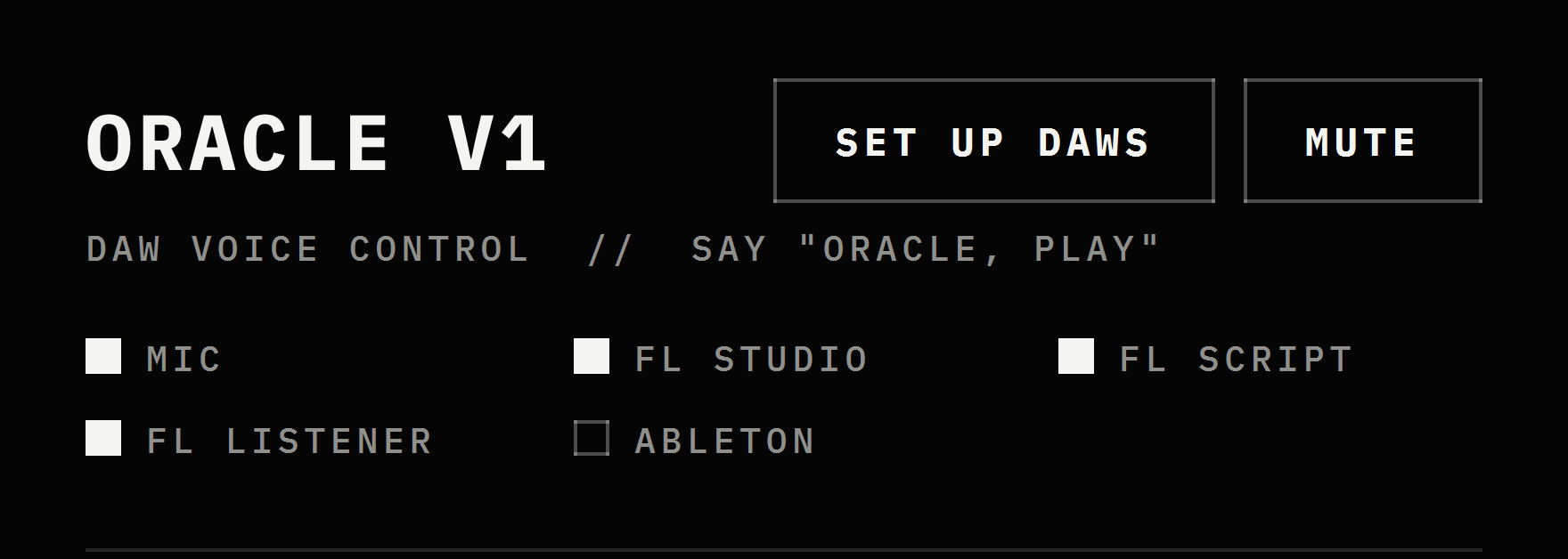
Five lights show what's connected: MIC · FL STUDIO · FL SCRIPT · FL LISTENER · ABLETON. If a DAW is open but not connected, the light turns red and ORACLE tells you the one setting to fix.
Every command answers with what the DAW really did.
PRIVATE BY DESIGN
Speech is transcribed on your computer. Your voice and your sessions never leave it. No account needed to use ORACLE V1.
AVAILABILITY
COMING SOON
ORACLE V1 is in final testing with PLAYRS CLUB creators.
$29USD
REQUIREMENTS
- SYSTEM
- Windows 10 / 11, 64-bit
- DAWS
- FL Studio 2024 · Ableton Live 12 (tested on 12.4.5)
- INPUT
- Any microphone Windows can see. Recording through an audio interface? Give ORACLE a separate mic (see FAQ).
- SETUP
- One-time DAW script install, from inside ORACLE
FAQ
Does it need the internet?
No. Speech is transcribed on your computer.
Which DAWs?
FL Studio and Ableton Live. Mixer, tempo and vocal-chain commands are FL Studio only for now.
Mac?
Not yet. ORACLE V1 is Windows only.
Do I have to say "Oracle" every time?
Yes. ORACLE only acts when it hears its name, so normal talk in the session never triggers anything.
What if it mishears me?
Say "Oracle, I meant…" with the right command. It runs it and remembers the correction.
Can I use it with an audio interface?
Yes, with one recommendation. There is a known issue when recording through an audio interface such as a Universal Audio Apollo Twin. Until it's resolved, give ORACLE its own input: a webcam mic or any secondary microphone works well, while your interface stays dedicated to the recording. If you find a workaround, please let us know. We'll build it into a fix.
Found a bug?
Email business@nateunlocked.com with what you said, what ORACLE did, and your DAW and version. Every report helps make ORACLE better.